


Pose Tool 3D
4.1331.00 Reviews
App Specs
- Version
- 6.8.181
- Updated On
- License
- $6.99
- Downloads
- 10,000+
- Developer
- Riven Phoenix
- Categories
- Comics
- Platform
- Android
Screenshots
 Analysis by AppCompare
Have you ever found yourself struggling to get the perfect pose for your artwork or animation project? Well, let me tell you about this nifty app I stumbled upon called Pose Tool 3D. It's like having a mini art studio right on your phone, and it’s a total game-changer for anyone into drawing, sculpting, or just about any form of visual art.
Getting Started with Pose Tool 3D
First off, downloading and installing Pose Tool 3D is a breeze. Available on both Android and iOS, the app is pretty lightweight. Once installed, you’re greeted by a clean and intuitive interface. It doesn’t bombard you with a lot of clutter, which I appreciate because who needs more chaos in a creative session?
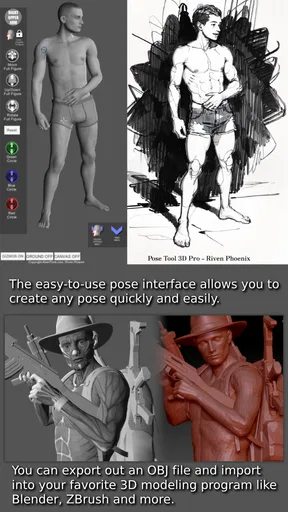
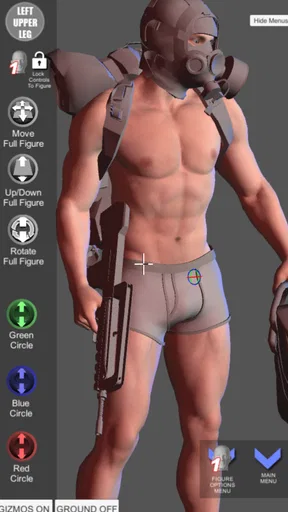
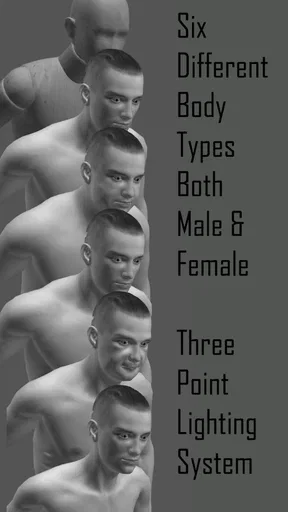
When you open the app, you can immediately dive into creating. You’ll find a variety of models to work with, and the app offers both male and female figures, with different body types to suit diverse artistic needs. The models are highly detailed, which helps when you’re trying to capture realistic anatomy.
Features That Stand Out
One of the coolest things about this app is the ability to manipulate the models in 3D space. You can rotate, zoom, and move the models around with ease. The controls are super responsive, and it feels like you’re working with physical models, minus the hassle of setting them up.
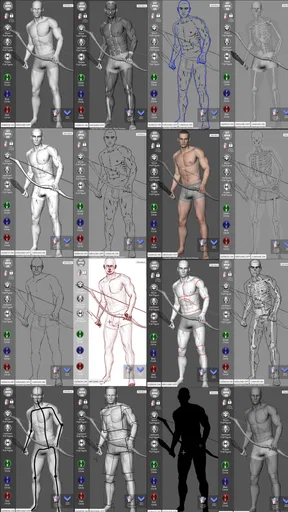
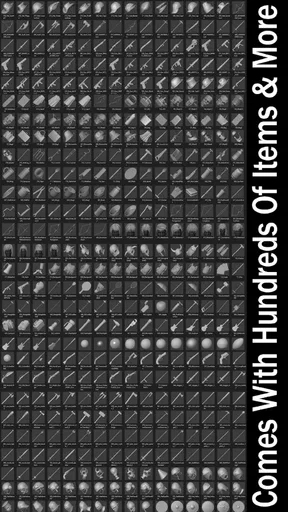
The app also provides a variety of props and lights. You can add these to your scene to create complex settings. Whether you’re going for a dramatic high-contrast composition or a light, airy vibe, the lighting tools help you set the mood perfectly. I found the light manipulation particularly useful when trying to understand how different light sources affect shadows and highlights on the form.
Flexibility and Customization
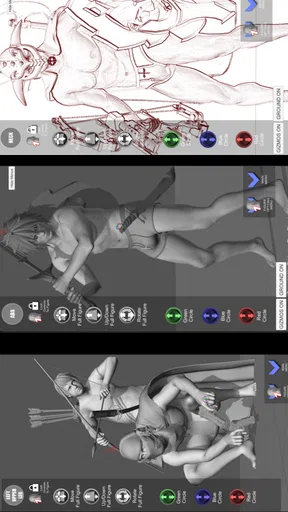
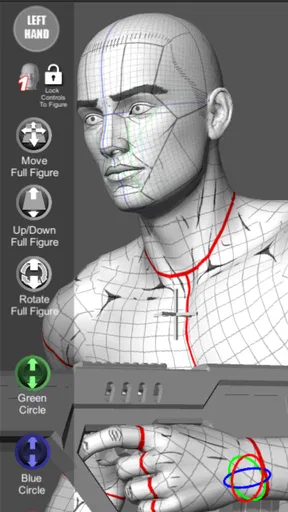
Customization is where Pose Tool 3D really shines. The app allows you to adjust the limbs, fingers, and even facial expressions of the models. This level of detail can be a lifesaver when you’re trying to convey specific emotions or actions in your artwork. The sliders are precise, and you can save your favorite poses to revisit later, which is super handy.
If you’re into more dynamic poses, the app has you covered. It offers a built-in pose library with pre-set poses ranging from simple to complex. It’s a fantastic starting point if you’re feeling stuck or just need a little inspiration to get the creative juices flowing.
Worth Reading Before You Choose

Flipboard Shows What News Apps Must Do Beyond the Feed

Switching to Android Auto Means Rethinking Your Driving Routine

Google Calendar Makes a Crowded Week Easier to Manage

Ludo King Makes the Most of the Minutes Between Plans

Baby Panda World Brings Quick Play to Modern Phones, but Its Game Library Feels Busy

ESPN’s Live Game View Makes Following Close Games Easier
Who Will Benefit?
This app is a gem for both beginners and seasoned artists. If you’re just starting, the model manipulation and posing tools can help you grasp the basics of anatomy and perspective. For more experienced artists, it serves as a powerful tool to experiment with complex poses and lighting situations without needing a live model.
Animators and storyboard artists will also find it useful. The ability to visualize and set up scenes quickly can save tons of time during the planning stages of a project. Plus, the app’s portability means you can work on the go, capturing inspiration whenever it strikes.
Final Thoughts
Overall, Pose Tool 3D is a versatile and invaluable app for anyone in the creative field. Whether you’re sketching out a concept, planning an animation sequence, or just practicing your drawing skills, this app offers the tools you need to bring your ideas to life. It’s like having a portable art studio that fits right in your pocket.
If you’re looking to elevate your artistry and streamline your workflow, give Pose Tool 3D a try. It’s an investment in your creativity that you won’t regret. So go ahead, download it, and let your imagination run wild!
Pros
- Highly detailed 3D models enhance realism.
- Intuitive interface for easy navigation.
- Includes a vast library of poses.
- Customizable lighting for better visuals.
- Supports multiple angles and zoom.
Cons
- Limited free content
- requires purchases.
- No option for importing custom models.
- Requires a stable internet connection.
- High battery consumption on mobile devices.
- Occasional lag on older devices.
FAQs for Pose Tool 3D
What is Pose Tool 3D and how does it work?
Pose Tool 3D is a powerful app designed for artists who want to improve their figure drawing skills. It provides a 3D environment where users can manipulate human figures into various poses. Using intuitive controls, you can adjust body parts, change camera angles, and explore lighting effects to perfect your art references.
Is Pose Tool 3D suitable for beginners?
Yes, Pose Tool 3D is suitable for both beginners and experienced artists. The app offers a user-friendly interface with tutorials that help newcomers get started. Beginners can experiment with pre-set poses and gradually move on to customizing figures as they become more comfortable with the app's features.
What features does Pose Tool 3D offer?
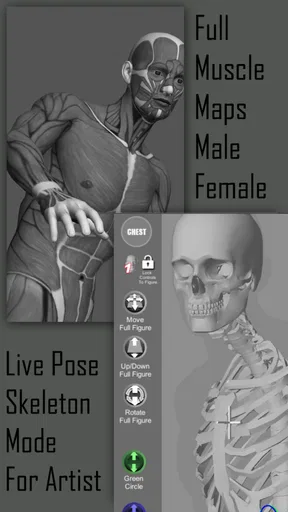
Pose Tool 3D offers a range of features including customizable 3D models, adjustable lighting, and various camera angles. Users can manipulate figures, switch between male and female models, and utilize tools like skeletal view for precise reference. The app also supports saving and exporting poses for future projects.
Can Pose Tool 3D be used offline?
Yes, Pose Tool 3D can be used offline, making it convenient for users to work on their projects without needing an internet connection. However, some features, such as updates or cloud backups, may require internet access. Check the app settings for more information on offline use.
Are there any in-app purchases in Pose Tool 3D?
Pose Tool 3D does offer in-app purchases. These can include additional models, advanced features, or expansion packs. While the basic app provides a robust set of tools, purchasing additional content can enhance your experience and provide more options for your artistic projects.


